
Panoptic Scans: Automating SOC2 Vulnerability Scans with Vanta Written on . Posted in Informational.
If your company handles customer data, odds are you've dealt with SOC 2 audits. You know the drill: vulnerability scans, evidence gathering, spreadsheets, back-and-forth with auditors. It's tedious. We built the Panoptic Scans integration with Vanta specifically to cut that busywork out, so scan results flow directly into your compliance workflow without anyone having to download a PDF and re-upload it somewhere else.
A Quick Refresher on SOC 2
SOC 2 is the audit framework that evaluates how you protect customer data across five areas: security, availability, processing integrity, confidentiality, and privacy. Most enterprise buyers won't sign a contract without it. The sticking point for a lot of teams isn't understanding what's required; it's the ongoing grind of proving you're actually doing it. Vulnerability scanning is one of those recurring requirements that eats up more time than it should, especially when evidence collection is manual.
What the Integration Actually Does
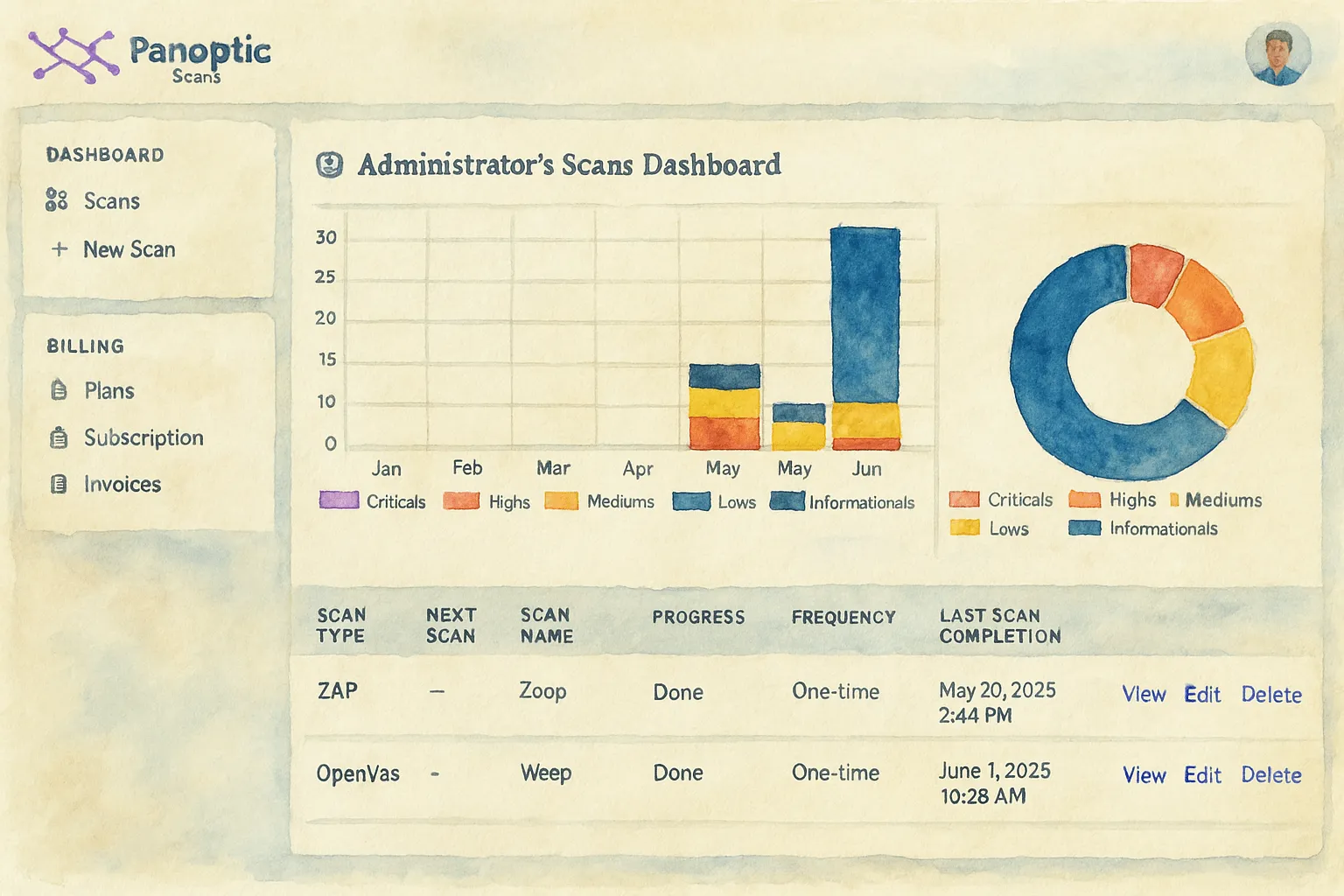
Panoptic Scans runs continuous discovery and vulnerability scanning across your external attack surface. When connected to Vanta, the scan results get pushed directly into Vanta's vulnerability scan section. No exporting, no reformatting, no remembering to upload before your auditor asks for it.
In practice, this means:
- Scans run on a schedule you set (daily, weekly, monthly, or quarterly). Panoptic Scans tracks changes to your assets and flags new issues as they appear.
- Results land in Vanta automatically. OpenVAS scan output goes straight into the right section, formatted the way Vanta expects it.
- Reports are pre-populated. When audit time comes around, the evidence is already there. You're not scrambling to pull it together.
- Critical issues get surfaced first, so your team spends time on fixes that actually reduce risk instead of chasing low-priority findings.

How to Connect Panoptic Scans to Vanta
Setup takes about two minutes:
- Log into Panoptic Scans and go to your settings page.
- Click Connect Vanta and sign into your Vanta account.
- Hit "Allow" to authorize the connection.
- Set up a recurring OpenVAS scan from the new scan page. Pick your frequency.
- Check Vanta's Vulnerability Scan section to confirm the results are showing up.
That's it. The integration works on basic, premium, and pro plans. Once a recurring scan is running, reports upload to Vanta on their own going forward.
Why This Saves You More Time Than You'd Expect
The obvious win is not having to manually collect and upload scan evidence. But the less obvious one is what happens over months: you stop worrying about whether your compliance documentation is current. Scans run, results sync, and when your auditor shows up, the evidence trail is already there.
Teams that have switched to this workflow report cutting their audit prep time dramatically. The accuracy improves too, since there's no copy-paste step where someone accidentally uploads last quarter's report or misformats a CSV.
There's also a business angle worth mentioning. Industry surveys put the number at roughly 80% of enterprise buyers requiring SOC 2 compliance before they'll sign. Keeping your compliance posture current means you're not holding up deals while someone scrambles to get scan evidence together.
Fits Into How You Already Work
The integration follows a Plan, Do, Check, Act cycle. You define your scan targets and schedule (plan), Panoptic Scans runs the assessments (do), results feed into Vanta where you can review them (check), and you remediate based on what was found (act). It's not a new process; it just removes the manual glue holding the old one together.
Get Started
If you're already using Vanta for compliance and running vulnerability scans separately, this integration closes that gap. Connect the two, set your scan schedule, and stop thinking about evidence collection.